Alert review
An alert (hit) is a stop phrase or a semantic match found by the scanner on a merchant page. All alerts are collected in Monitoring → Alerts.
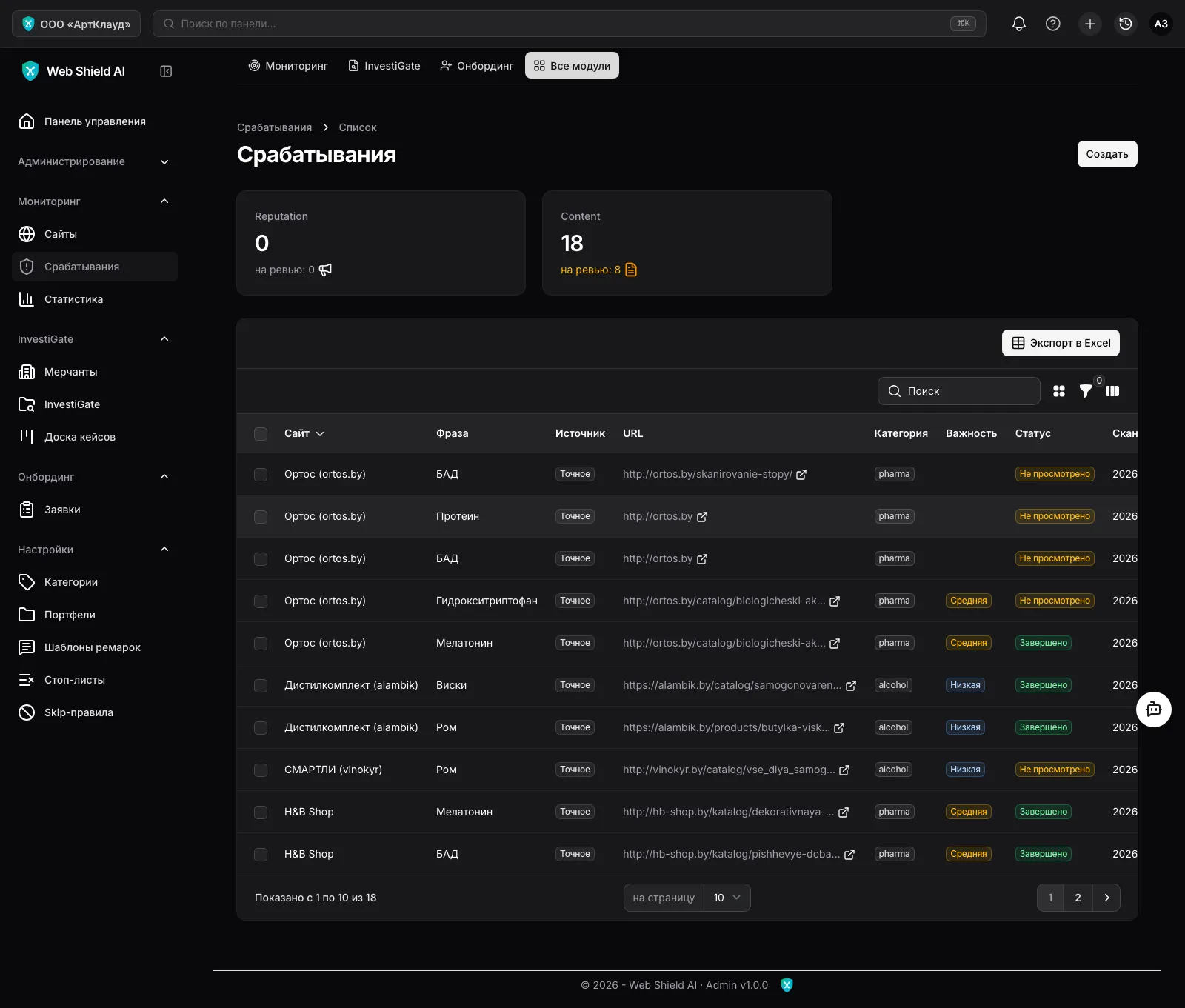
Every alert has:
- Phrase and snippet — what was found and in which context;
- Source —
Exact(a stop-phrase match, morphology-aware) orSemantic(found by meaning, without an exact match — on the Premium plan); - Category — the violation category from the stop list (alcohol, pharma, gambling…);
- Severity —
Notification,Low,Medium,High(inherited from the category settings); - Review status —
Not reviewed→In progress→CompletedorFalse positive.
The review page
Section titled “The review page”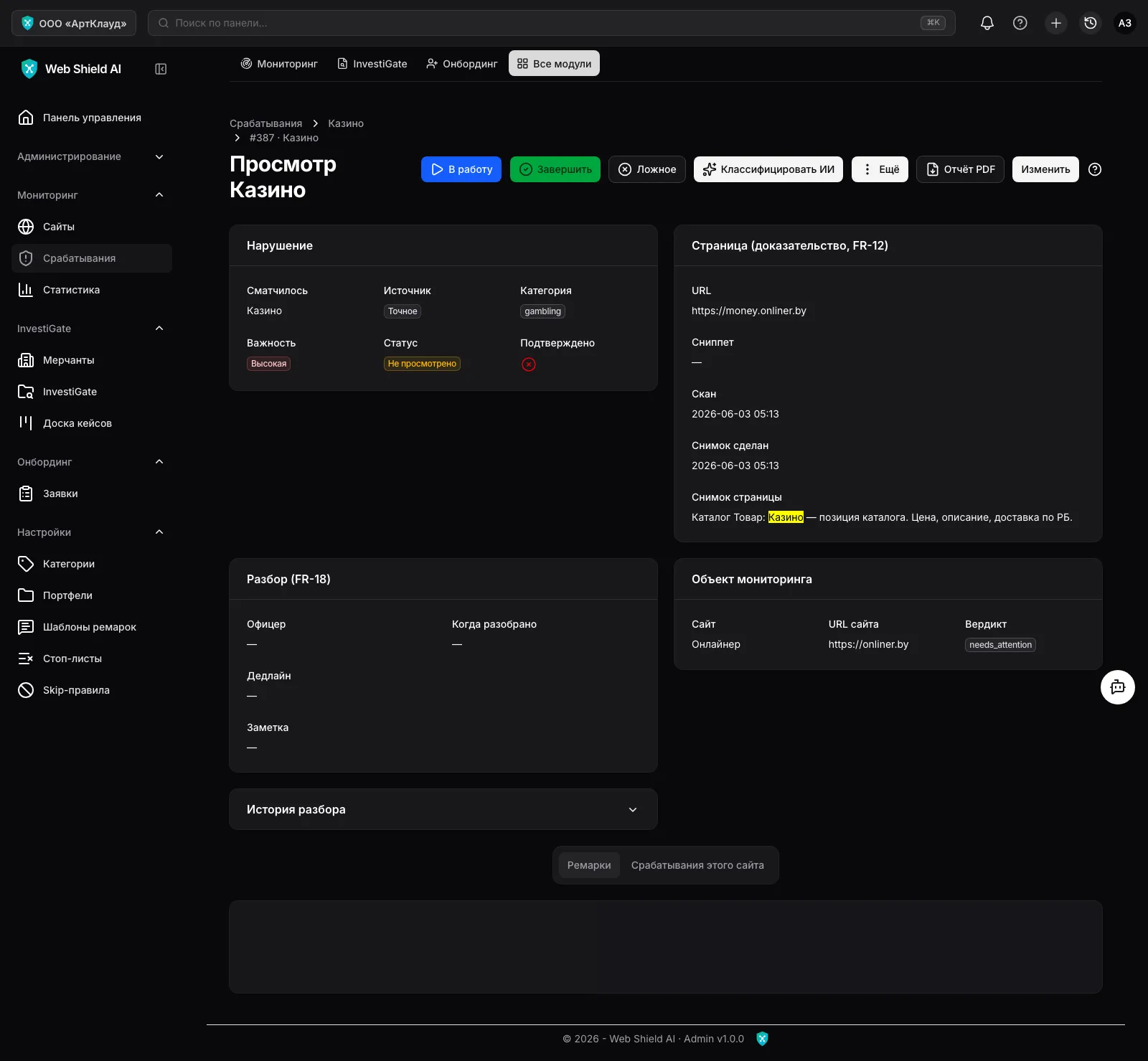
The alert page gathers everything needed for a decision:
- Violation — phrase, source, category, severity, status.
- Page (evidence) — URL, snippet, scan date and a snapshot of the page text with the matched phrase highlighted. Snapshots are immutable and tied to the moment of the scan — this is the legal evidence base. If a page screenshot was taken, it is shown here too.
- Review — who took it, when it was reviewed, deadline, note.
- Monitored object — the site and its current verdict.
- Review history — a log of every action on the alert.
- The Remarks tab (officer comments, with templates) and This site’s alerts (other alerts of the same site).
Officer actions
Section titled “Officer actions”Buttons in the page header:
- Start — takes the alert into review (status
In progress, the assignee is recorded). - Complete — the violation is confirmed, review finished.
- False positive — a false match; counted in stop-list quality statistics.
- Classify with AI (Premium plan) — an LLM analyses the context and writes a remark with a verdict: real violation or false positive. The decision stays with the officer.
- The More menu:
- Deadline — set a review due date (overdue ones are highlighted in red);
- Add skip-rule — create a suppression rule for this phrase (see below);
- Notify compliance — send a violation email to the organisation’s notification address;
- Re-scan site — an out-of-schedule scan;
- PDF report — export the alert card.
Skip-rules
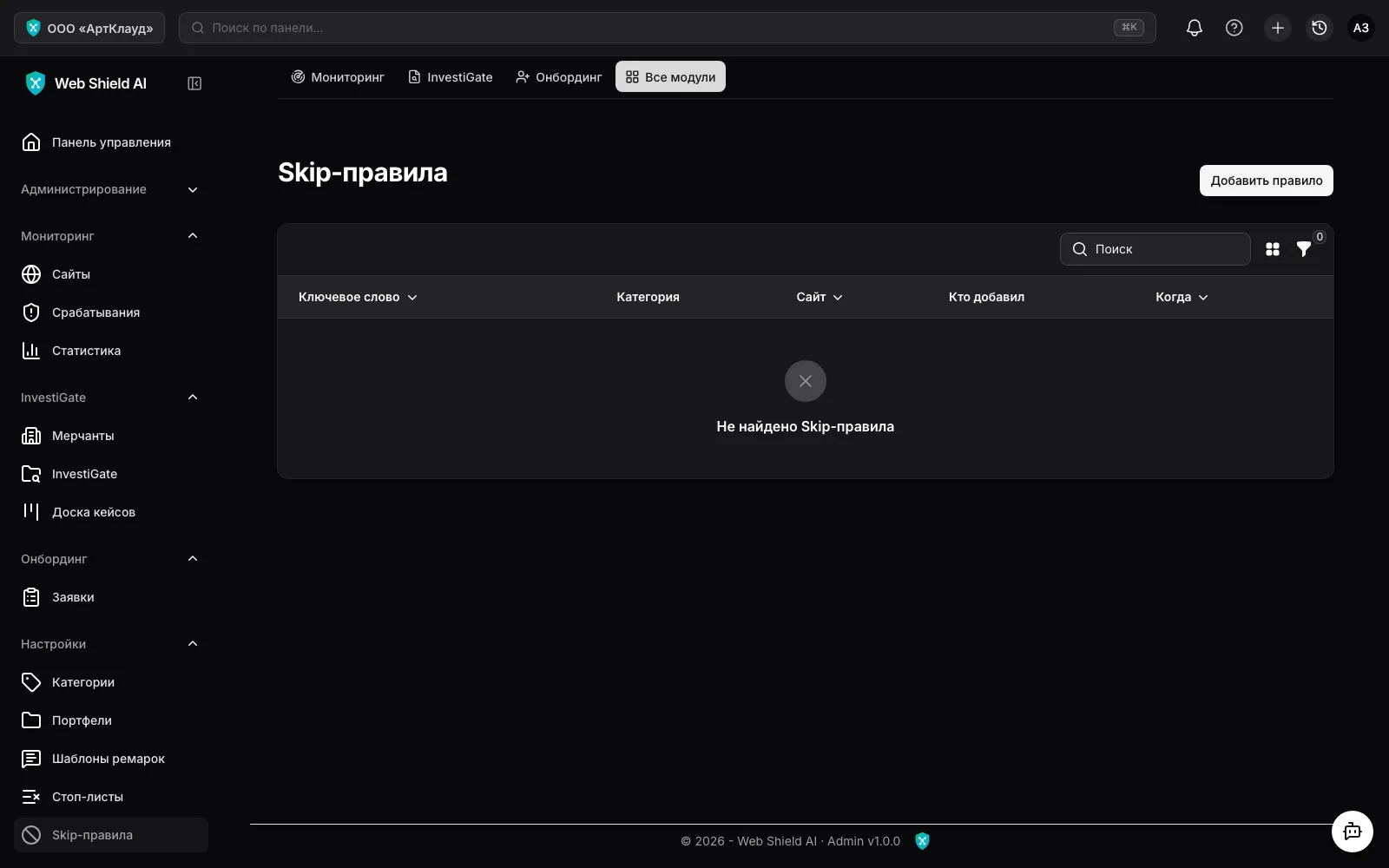
Section titled “Skip-rules”Settings → Skip-rules is the list of false-positive suppressions: a keyword, optionally a category and an “only this site” flag. If a phrase legitimately appears on a site (e.g. “whiskey” in the name of a coffee syrup), create a skip-rule right from the alert page — the scanner will stop raising alerts for that combination.