Sites & monitoring
Monitoring → Sites is the register of merchant websites the system crawls on a schedule.
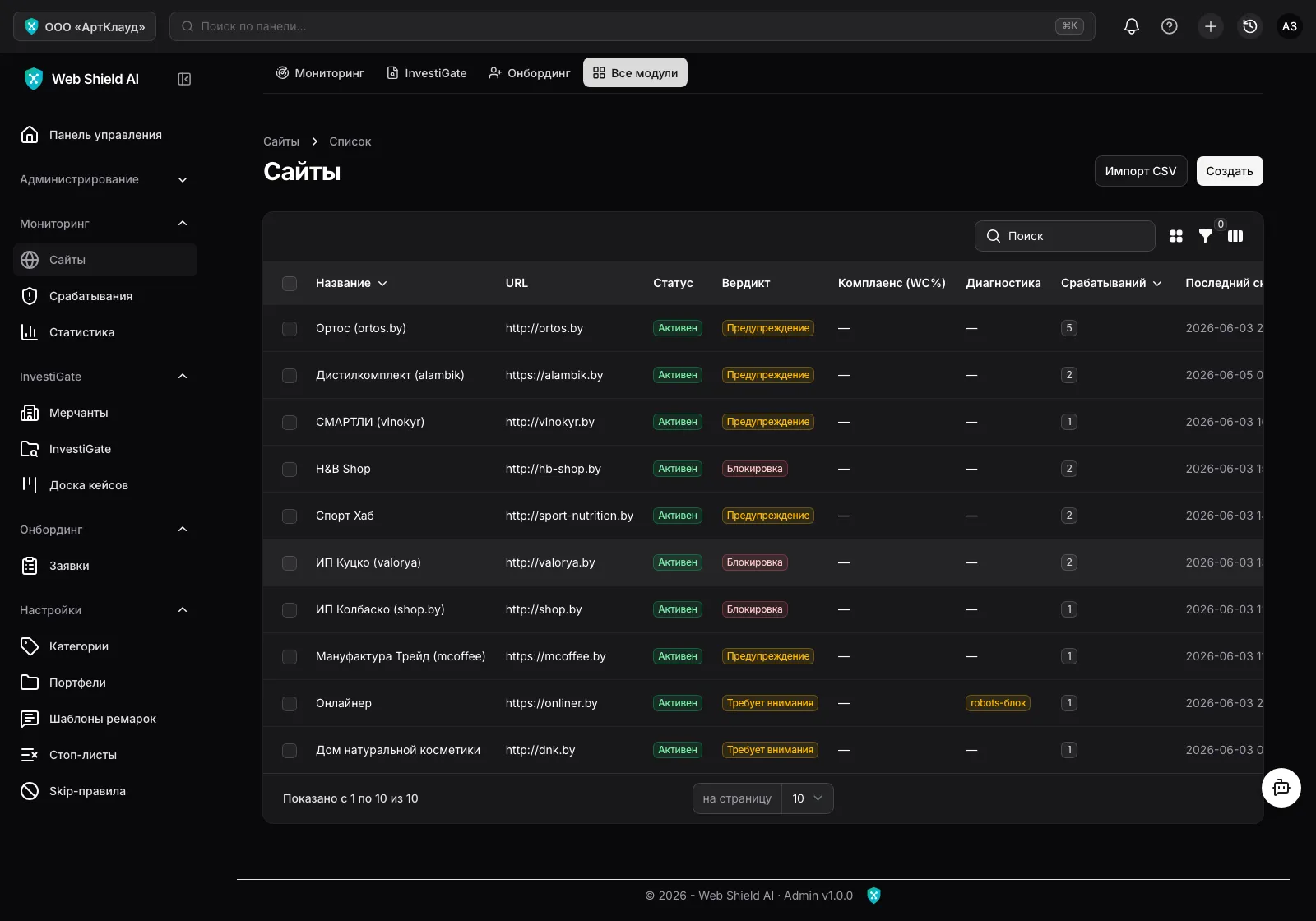
For every site the list shows its status, the verdict of the latest scan, monitoring frequency, an alert counter (clicking opens the filtered alert list for that site) and the time of the last scan. While being crawled, a site carries a “Scanning…” badge; if the crawler hit problems (an SPA site without server-rendered content, robots.txt restrictions), a diagnostic flag appears next to it.
Adding a site
Section titled “Adding a site”The Create button opens the form:
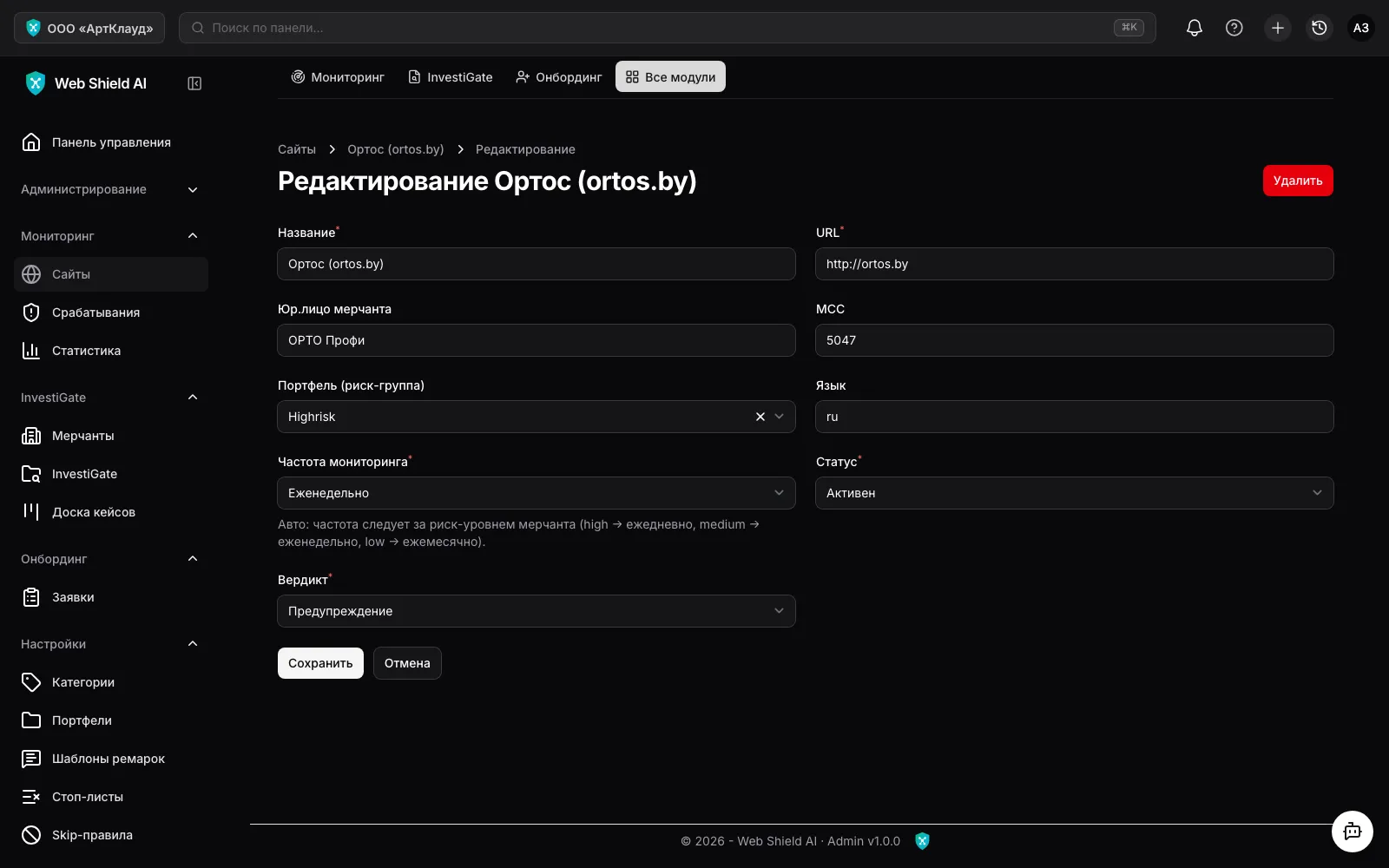
- Name — how the site appears in lists; if left empty, the URL is used.
- URL — the home page address. The scanner discovers internal pages and
sitemap.xmlon its own, within the plan limits. - Merchant legal entity, MCC, language — reference attributes for reporting.
- Portfolio (risk group) — grouping by your portfolios (the “Portfolios” reference).
- Monitoring frequency — how often to re-scan:
Daily/Weekly/Monthly— a fixed schedule;Auto (by risk category)— frequency follows the linked merchant’s risk level: high → daily, medium → weekly, low → monthly;Do not monitor— the site stays in the register but is not scanned.
- Status —
Active,PausedorNeeds attention.
Site verdict
Section titled “Site verdict”The verdict aggregates the latest scan results:
| Verdict | Meaning |
|---|---|
Not yet scanned | The site was added but no scan has completed |
Clean | No violations found |
Warning | Individual alerts found — review needed |
Block | A substantial volume of violations |
Needs attention | The scanner could not crawl the site properly (SPA, robots.txt, etc.) |
Website Compliance
Section titled “Website Compliance”For scanned sites the form shows a Website Compliance block — the percentage of compliance with baseline card-scheme requirements and chips per section: Terms, Privacy, Refund, Contacts, Delivery/Payment. Green — the section exists on the site, red — it is missing.
Bulk operations
Section titled “Bulk operations”- Import CSV — load a whole site portfolio from one file (button in the list header).
- Re-scan — trigger an out-of-schedule scan: for one site or in bulk for selected rows.
- Clear false positives — removes all of the site’s alerts marked “False positive”.
Statistics
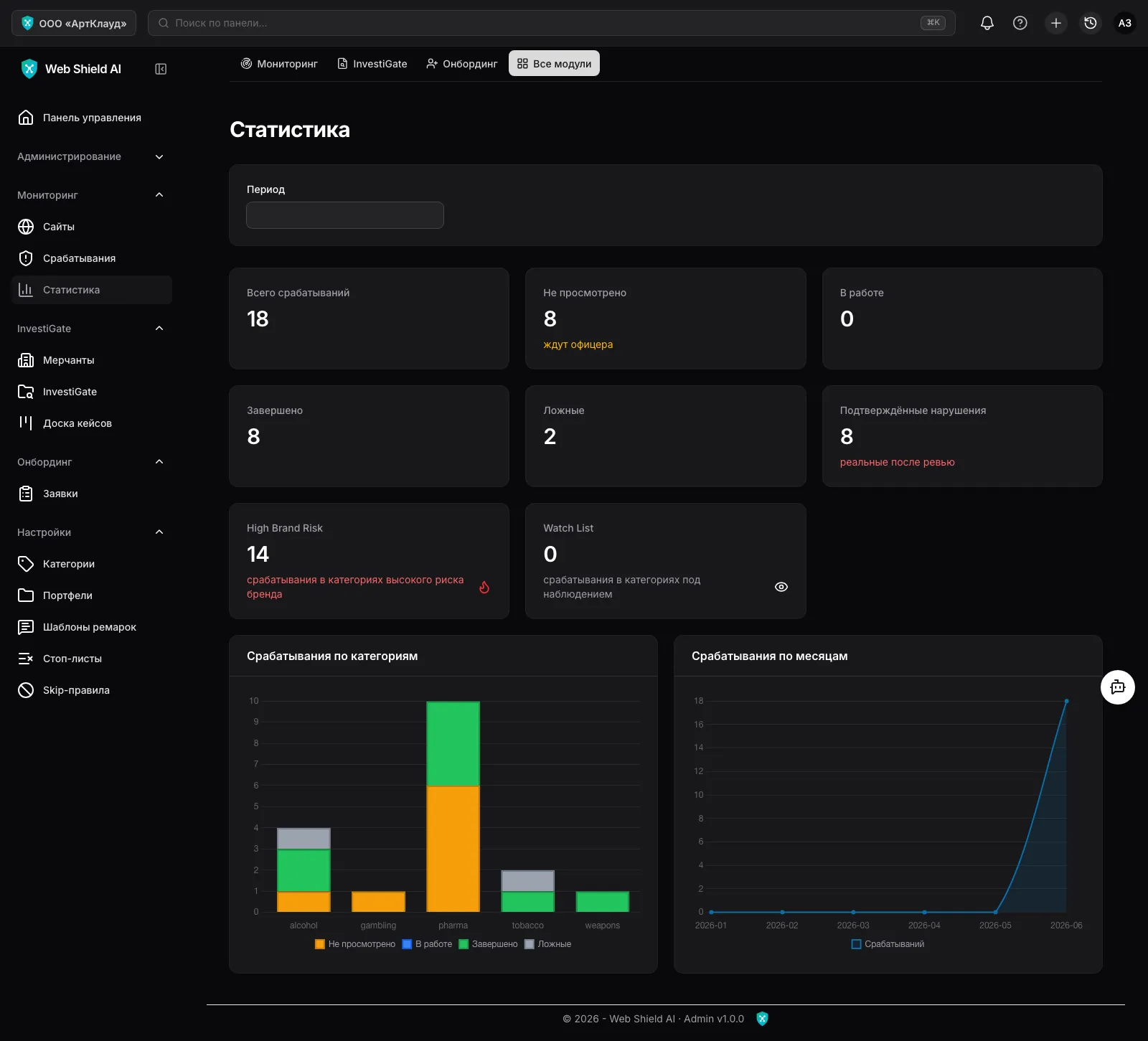
Section titled “Statistics”Monitoring → Statistics — alert dynamics by category and date with a period filter: helps you see portfolio trends and estimate the review workload.