
Stop lists & categories
The scanner searches merchant pages for phrases from the stop lists. Each stop list is a named set of phrases tied to a violation category.
Shared stop lists
Section titled “Shared stop lists”Stop lists in Intelligent Merchant Monitoring are shared (platform-wide): a single standard of prohibited categories (similar to Mastercard BRAM) is maintained centrally by the service provider (super administrator) and kept up to date for all banks at once. This ensures a uniform compliance baseline and frees the bank from the chore of populating the lists.
Settings → Stop lists:
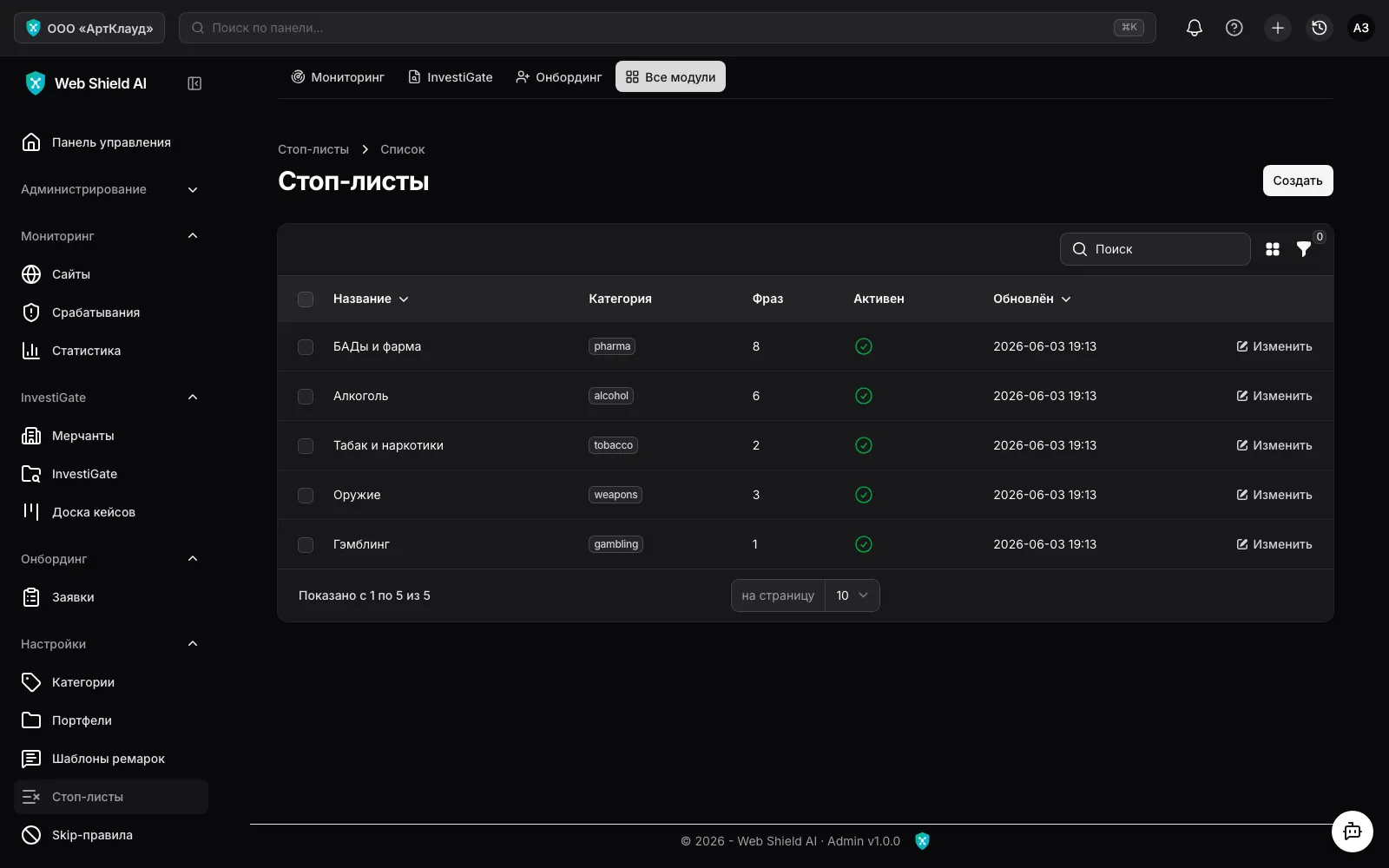
A stop list has a name, a violation category (alcohol, tobacco, drugs, medications, dietary supplements, weapons, pyrotechnics, precious metals, counterfeit, pharma, adult, gambling, crypto, other) and an “Active” flag.
What the bank can do
Section titled “What the bank can do”Only the service provider can create and edit the lists and phrases themselves — this keeps control over the standard centralised. A bank (administrator role) can:
- Disable a list it doesn’t need with the “Apply” toggle — if a category is irrelevant to your portfolio, the list stops being applied for your bank only, without affecting other banks. You can re-enable it at any time with the same toggle.
- Request additions of specific words or a category — the provider adds them either to the shared standard (for all banks) or as your bank’s extension (visible only to you).
Phrases and morphology
Section titled “Phrases and morphology”Russian morphology is handled automatically: the phrase “виски” matches all word forms; the normalised form (case, whitespace, Unicode) is computed on save. Changes to the lists are picked up by the scanner on the next crawl.
Categories
Section titled “Categories”Settings → Categories — the violation category reference with alert-handling defaults:
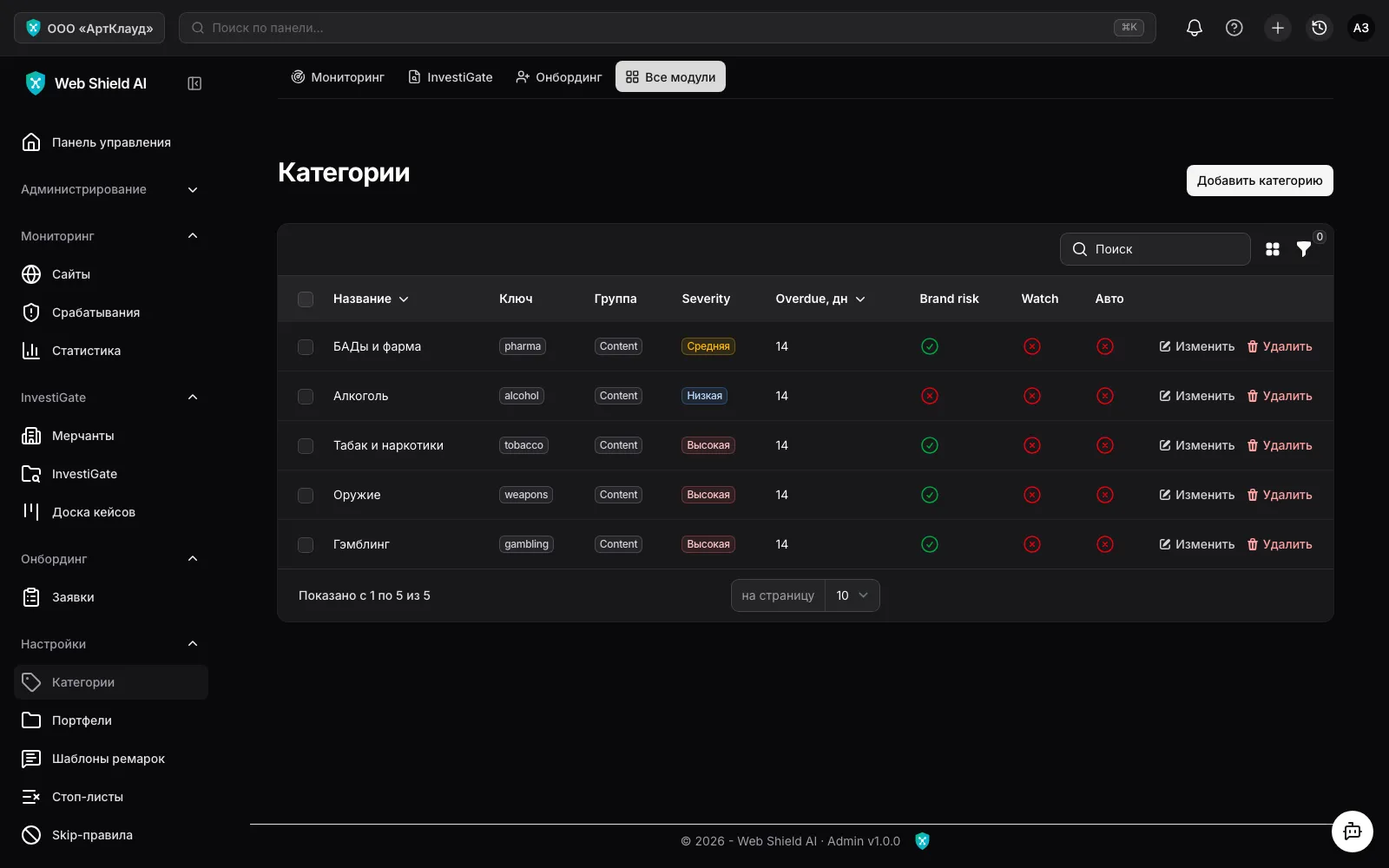
Each category configures:
- Alert level — the severity of created alerts (
Notification/Low/Medium/High); - High brand risk and Watch list — flags for portfolio prioritisation;
- Deadlines — after how many days an unreviewed alert counts as overdue, and when it is archived;
- Auto-complete — whether the category’s alerts close automatically (for notification-level categories that need no manual review).