
Underwriting: merchants & cases
The Underwriting module is merchant verification and risk scoring: at onboarding and during periodic reviews of the live portfolio.
Merchants
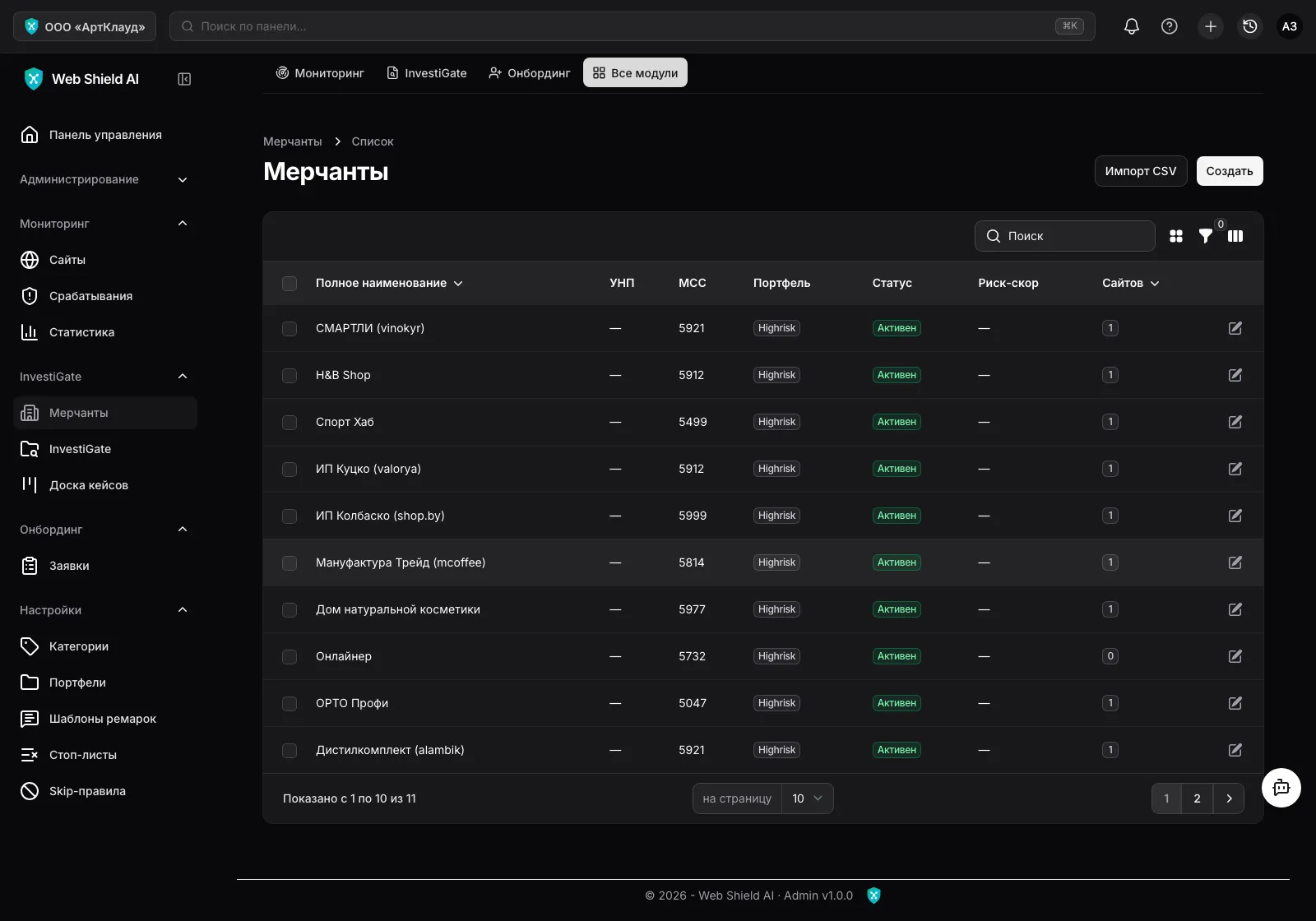
Section titled “Merchants”Underwriting → Merchants — the register of legal entities: registration details (tax ID, registration number, MCC, country, incorporation date), contacts, directors and beneficiaries (with a PEP flag), addresses and linked websites.
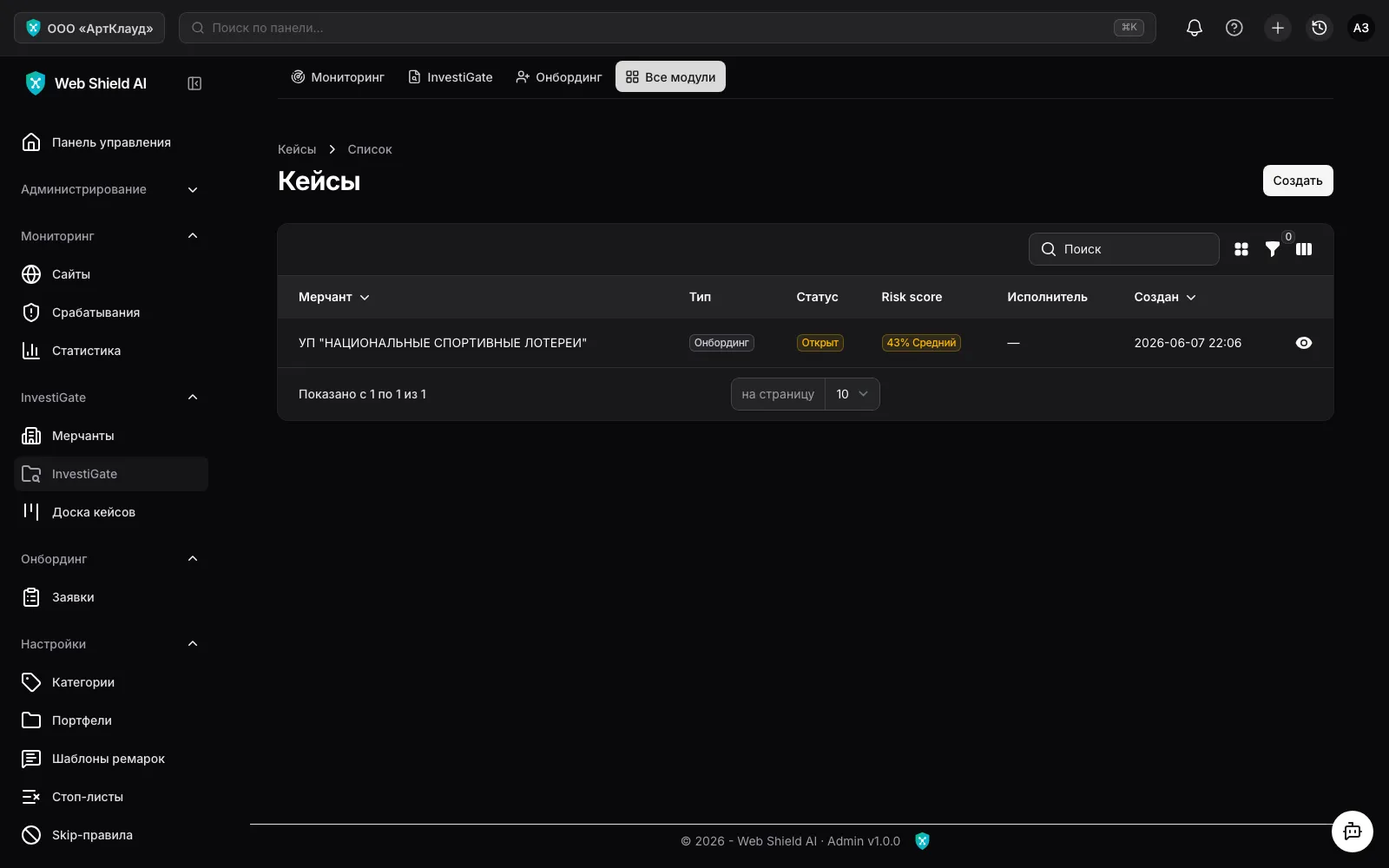
A case is one review of one merchant. Types: Onboarding (a new merchant) and
Monitoring (re-run) (review of an existing one). Lifecycle:
Open → In progress → Approved / Declined; existing merchants can also be Terminated.
The case page
Section titled “The case page”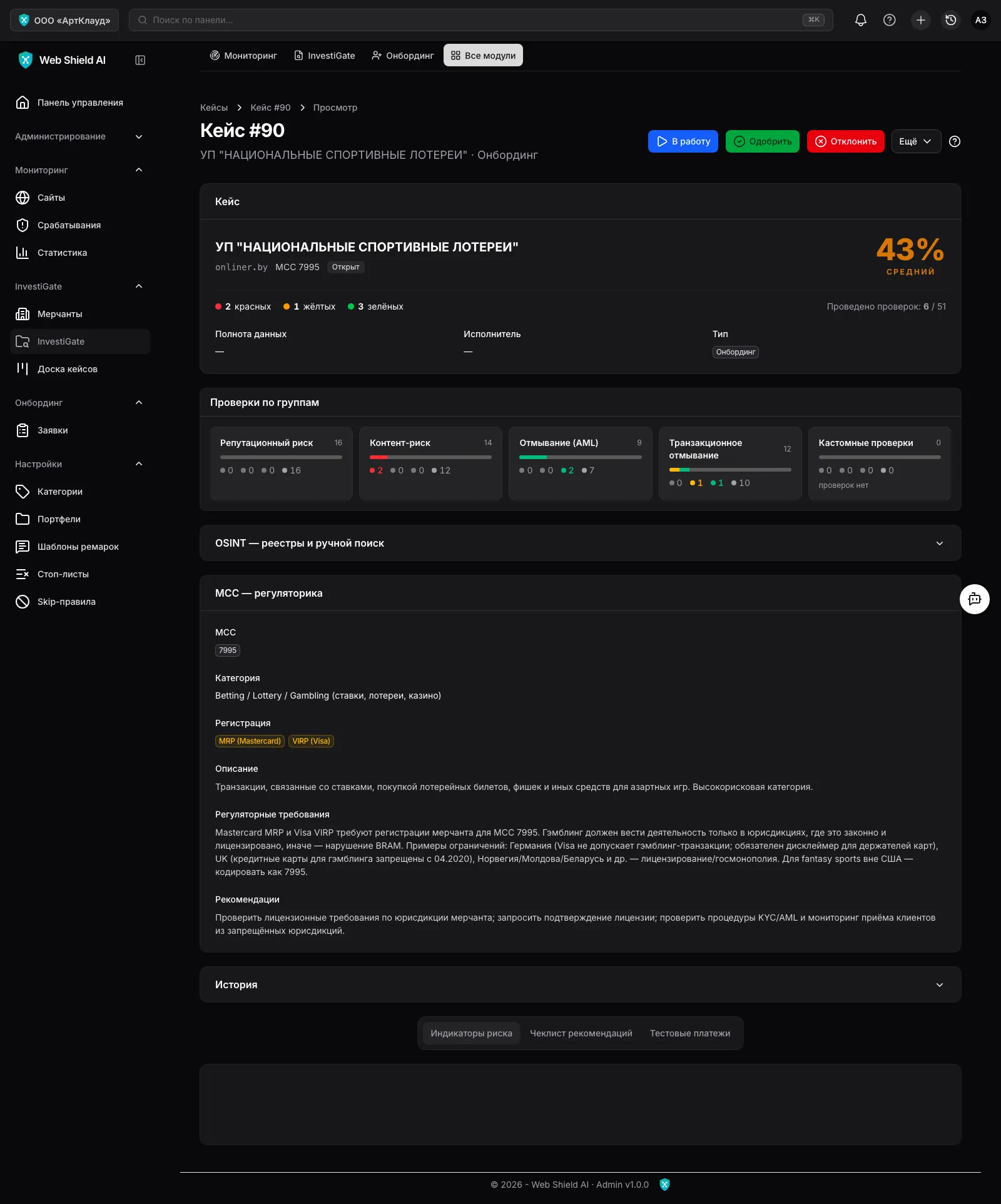
On the case page:
- Risk score — the overall 0–100 score computed from indicator statuses (higher = riskier) with a risk level: low / medium / high.
- Risk indicators — a map of checks by group (Reputation Risk, Content Risk, Money Laundering Risk, Transaction Laundering Risk, custom bank checks). Each indicator has a status: red (critical), amber (attention), green (ok) or grey (no data / not performed). The officer can reclassify an indicator manually and leave a note.
- Automated checks — site content (via the scanner), Google Safe Browsing, OSINT search across open sources, WHOIS and domain age, SSL certificate age, traffic, an IP scan with a neighbouring-domain map, outgoing links, geo availability, mobile version, site history and more.
- MCC regulation reference — guidance for the declared MCC: category, regulatory requirements and card-scheme recommendations.
- CREM — credit risk exposure assessment: volumes, chargeback/refund ratios, probability of default, exposure scenarios and recommended measures (rolling reserve, security deposit, payment delay).
- Recommendations — a checklist auto-built from red and amber indicators; the officer ticks off what’s done.
- Test payments — manual records of control transactions (card, amount, descriptor, observed MCC, cloaking).
Case actions
Section titled “Case actions”- Take — assign an officer.
- Approve / Decline — the final decision with a mandatory note.
- The More menu: Terminate, Sync from scanner (re-scan the merchant’s sites and refresh content indicators), IP Scan, CREM, Generate PDF.
The PDF report
Section titled “The PDF report”The Generate PDF action builds a full case report: merchant summary, risk score, all indicators with classification, check results, CREM and recommendations. Generated reports are stored in the Media library and are suitable for handing over to a card scheme or a regulator.