
Merchant onboarding
The Onboarding module is the entry point for new merchants: connection applications are collected in a single register and turned into a merchant with a review case in one action.
Applications
Section titled “Applications”Onboarding → Applications:
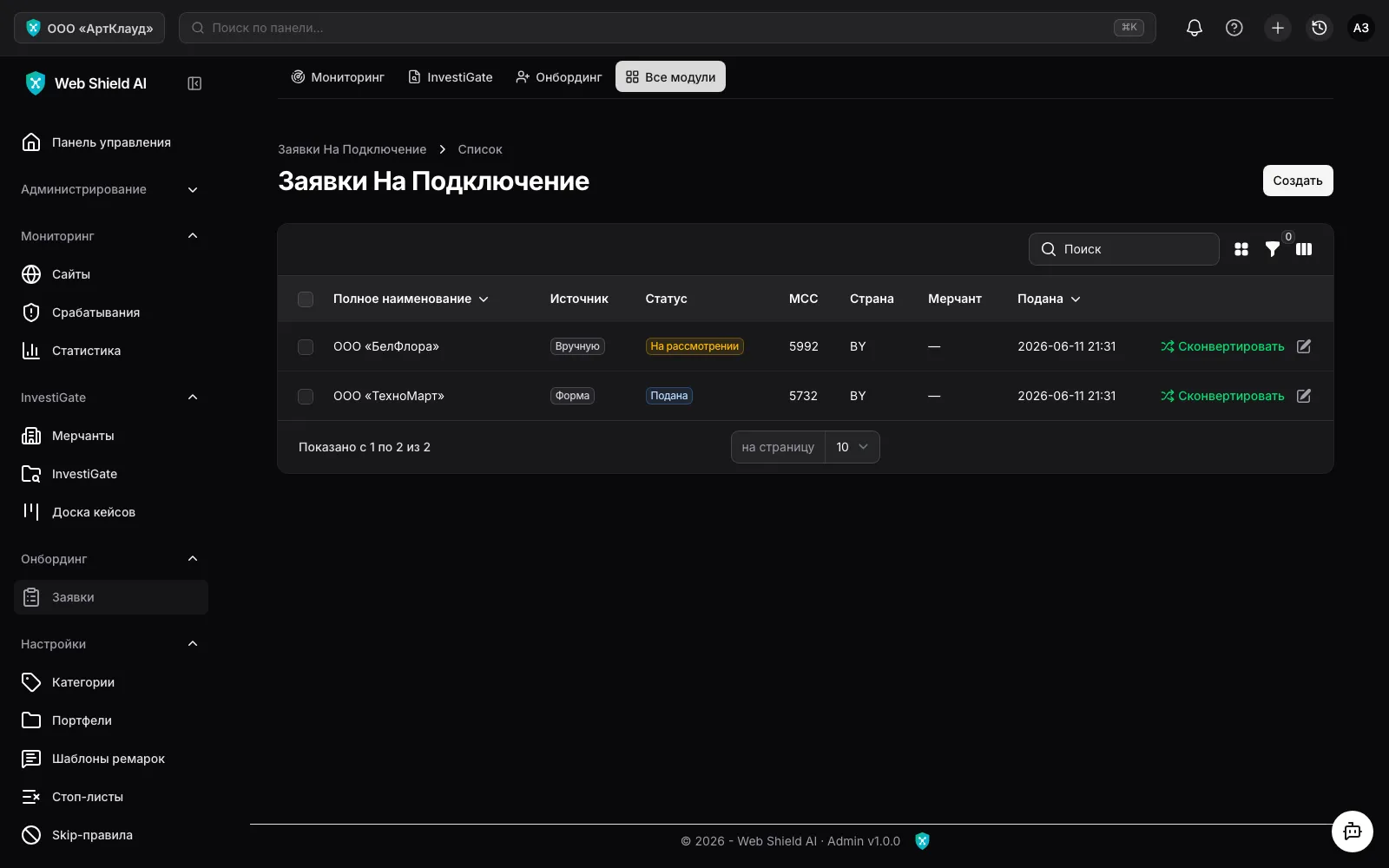
An application holds the future merchant’s details (legal name, trade name, tax ID, registration number, MCC, country, incorporation date) and structure: directors, websites, addresses.
Statuses: Draft → Submitted → In review → Converted / Rejected.
Application sources:
| Source | How it enters the system |
|---|---|
Manual | An officer created the application in the panel |
CSV | File import |
API | The bank’s CRM pushes applications into the Ingest API |
Form | The merchant filled in the public onboarding form |
The public onboarding form
Section titled “The public onboarding form”Every organisation has a personal public link of the form
https://admin.shield.by/onboarding/<token> — place it on the bank’s website or send it to
merchants. The form requires no sign-in:
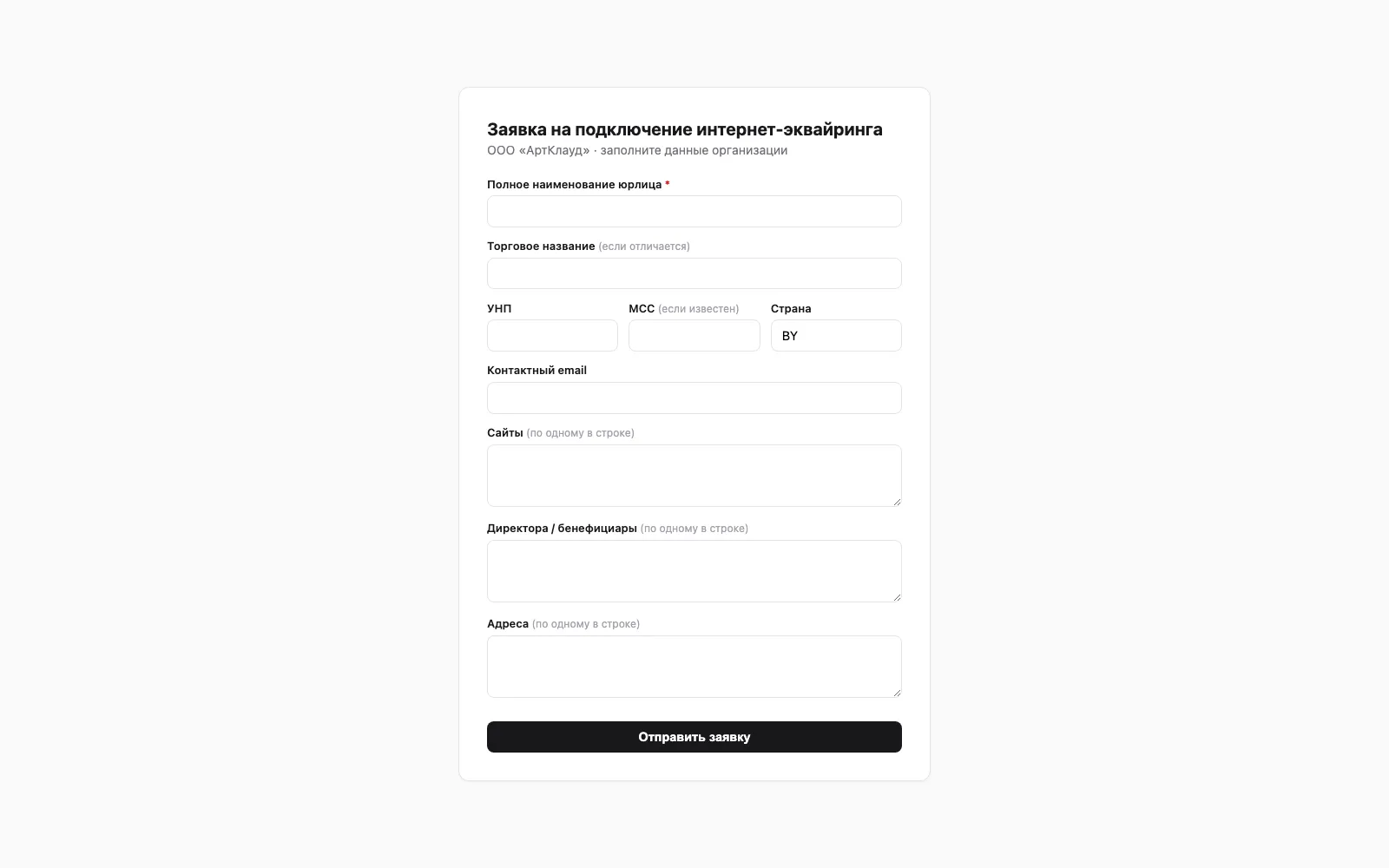
A submitted form appears in the register with the Submitted status and the Form source.
The link (and token) can be re-issued by the platform provider — the old one stops working
immediately.
The Ingest API
Section titled “The Ingest API”For integration with the bank’s CRM there is an Ingest API:
POST /api/onboarding/applications with the organisation’s Bearer token. Applications from
the CRM land in the shared register with the API source. The token is issued and re-issued
by the platform provider.
Converting an application
Section titled “Converting an application”The Convert action on a verified application creates, in one step:
- a merchant with the application’s details;
- persons (directors) and addresses;
- the merchant’s websites — they go under monitoring immediately;
- an Underwriting case of the “Onboarding” type with automated checks already running.
The application gets the Converted status and a link to the merchant. Converting the same
application again is safe — the system returns the already-created case, no duplicates.
Website readiness for acquiring
Section titled “Website readiness for acquiring”After conversion the system automatically checks whether the merchant’s website is ready for card acquiring — per the requirements of banks, ERIP and payment systems (merchant audit form, 6 sections). The case page offers a “Site readiness” action:
- A 🟢🟡🔴 checklist by the 6 audit-form sections: (1) details & licence, (2) product info/prices, (3) order/delivery/refund procedure, (4) information security, (5) site & domain registration, (6) payment-system logos & content.
- A verdict: “Ready to connect” / “Needs fixes” / “Not ready” — by the worst status.
- A PDF export for the merchant — a “what to fix” list before connecting.
Most checks are automatic scanner detections (site details, BYN prices, payment rules, logos, order procedure, absence of a PIN field, broken pages/links, single domain, server in Belarus, Trade Register RB — auto UNP match against the MART export snapshot); BelGIE is manual officer review against an external registry. The full list and status logic are in Checks.
The declared activity (OKED from the EGR) is matched against an MCC — keep the OKED directory (official OKRB 005-2011) and MCC codes handy.